
Join the Digital Leap! ADSSUhanons, Be Part of the PASIGARBO Tu' ADSSU 2026 Digitalization Program: Introducing the PASIGARBO App
general System Administrator · Oct 9, 2026 12:19 AM
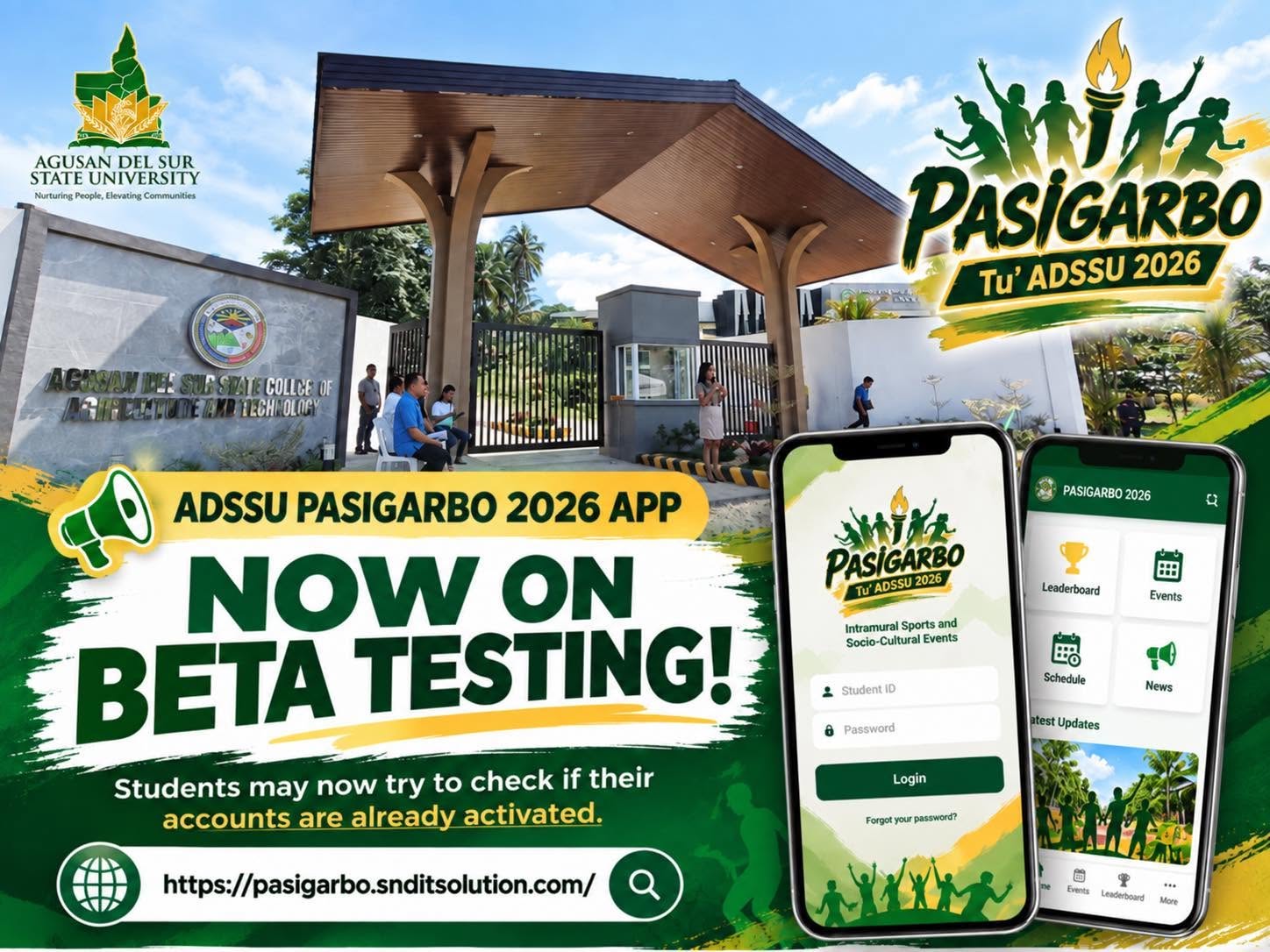
Dear ADSSUhanons,
Every year, PASIGARBO fills our campus with courage, color and cheering: the final buzzer, the standing ovation, the winning note, the proud team shirt. This year we are adding something new to that story. We are taking the festival online, and we want you to be part of it.
Welcome to the PASIGARBO Tu' ADSSU 2026 Digitalization Program, and to its heart: the PASIGARBO App, an all-in-one University Intramural Festival Online Management System that brings every Sports, E-Sports and Socio-Cultural activity together in one place.
One app. One login. The whole festival.
No more hunting for the schedule on a crumpled paper, waiting for the scoreboard to be posted, or lining up just to ask whether your attendance was recorded. With the PASIGARBO App, everything that makes the festival run is in your pocket, from the opening program to the awarding of certificates.
The same system serves the student athlete, the coach, the judge, the college governor, the tabulator and the university officials. Everyone sees what matters to them, and nothing more.
Why we are going digital
- Live and transparent. Schedules, live scores, official results and the overall standings update as they happen, for everyone to see, with no login needed.
- Paperless and faster. Registration of players, tally sheets, judges' ballots, tabulation and reports are done online, so results are ready sooner and mistakes are easier to catch.
- Safe and accountable. Attendance and every important action are recorded, so everything can be traced.
- Easy for everyone. It works on a phone, a tablet or a computer, and it can be installed like an app ("Get the App").
- Recognition for everyone. Certificates of attendance, participation and recognition are generated and ready to download.
What you can do with the PASIGARBO App
- Follow the schedule, program, live scores, results and leaderboard of every sport, e-sport and socio-cultural event.
- Clock in and out of the games with your own QR code, and see your attendance.
- Get your Participant ID, with your own QR code, when it is ready.
- Send messages through the built-in Messenger and get notifications right in the app.
- Write on your college's Confession Wall and read the College Board.
- Apply to join an event through Join Event.
- Tell us what you think with Rate this system Now!, then Claim Your Certificate.
Every game format, drawn automatically
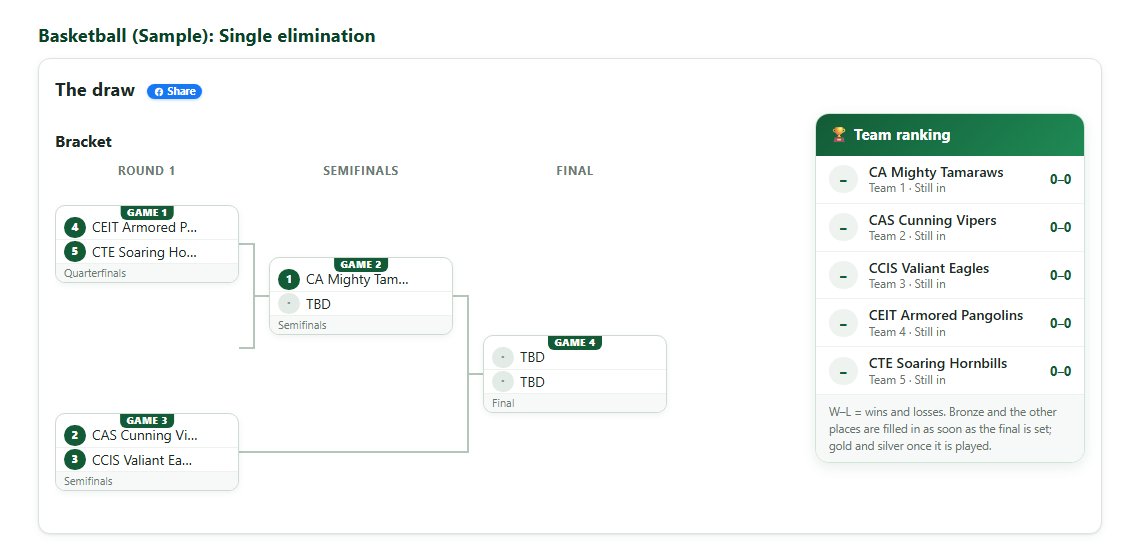
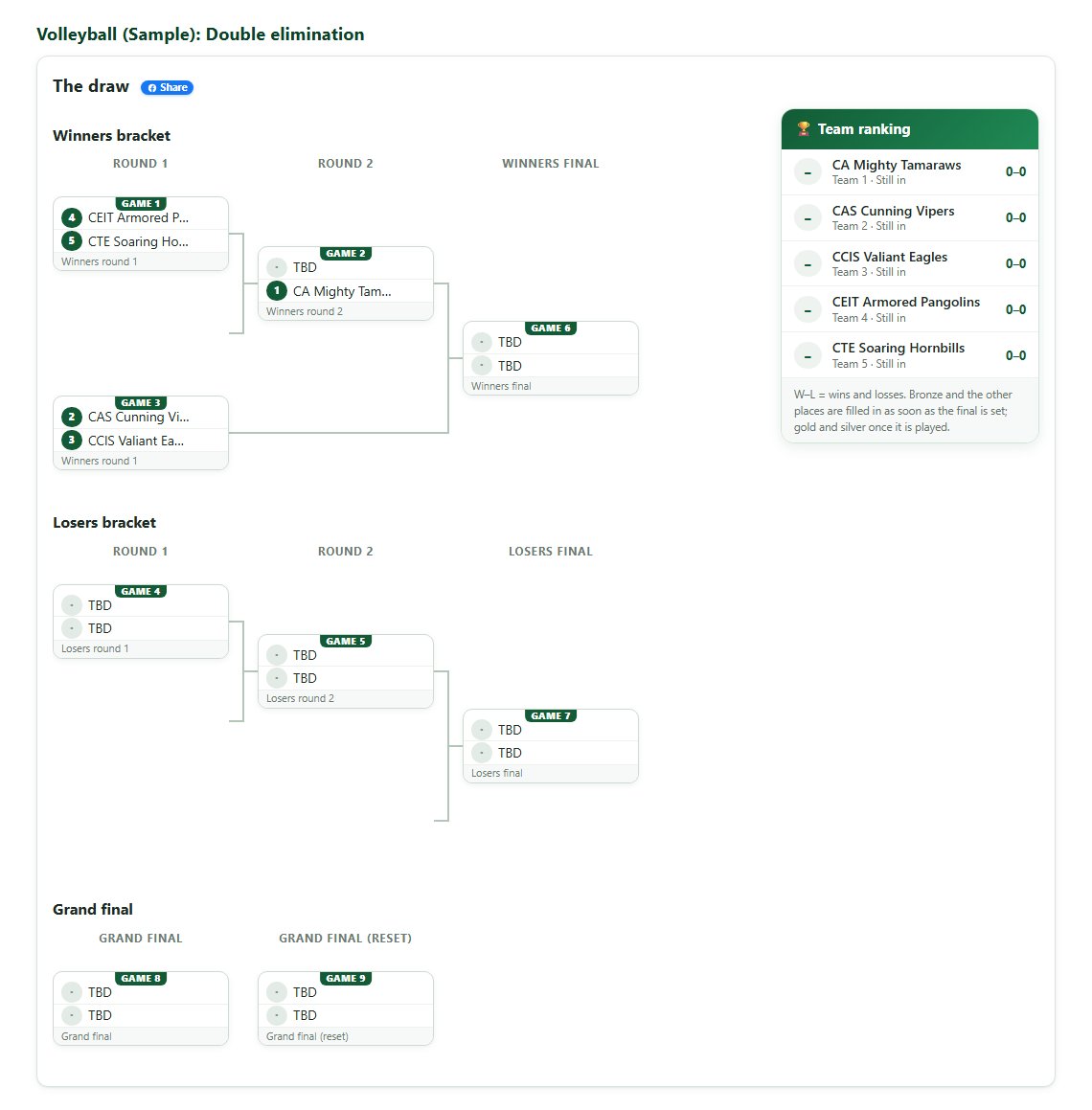
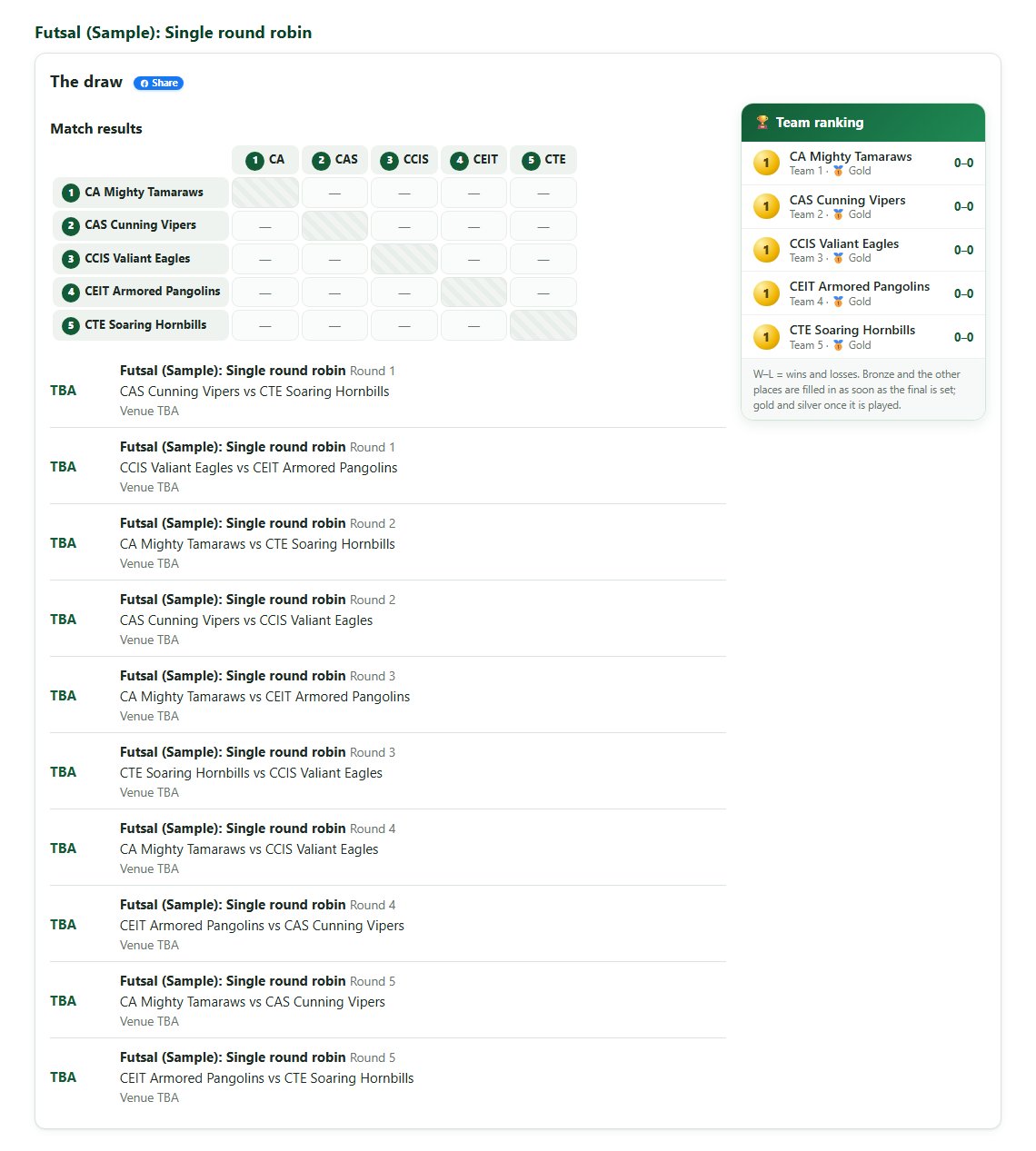
Every event runs in the format that fits it best, and the app does the matching for you. Teams are placed by their team number (or drawn at random), byes are given when the number of teams is uneven, and winners move forward on their own as soon as scores are entered. No more paper brackets.
- Single elimination – lose once and you are out.
- Double elimination – a winners bracket and a losers bracket, so every team gets a second chance.
- Single and double round robin – every team plays every other team once (or twice).
- Round robin with playoffs – everyone plays everyone, then the top teams meet in the playoffs.
- Group stage + knockout – teams are split into groups, and the best of each group go on to the knockout rounds.
- Judged performances – for socio-cultural events, scored by a panel of judges.
- Ranked by score, time or distance – for athletics, and a manual placement when needed.
Here is how the app matches five sample teams in each format:
Single elimination (sample)
Double elimination (sample)
Single round robin (sample)
Group stage + knockout (sample)
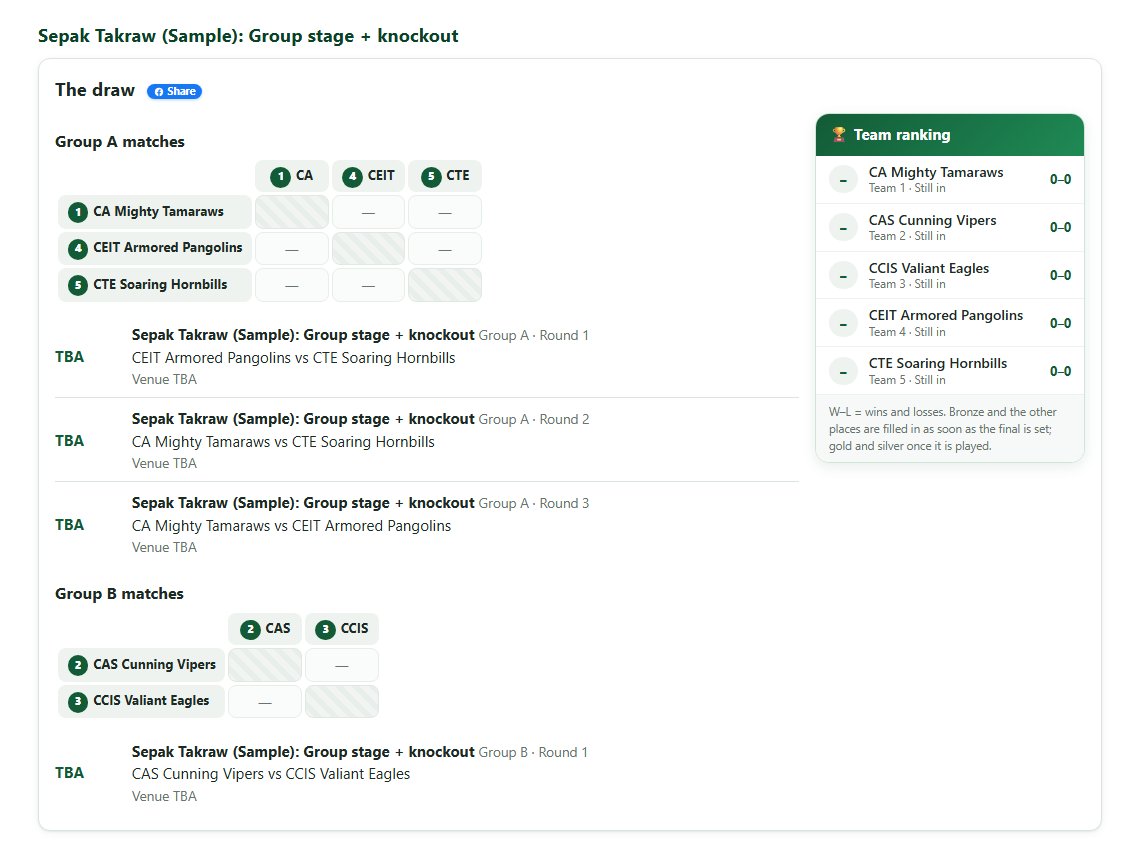
Who can use the system, and what each account can do
There is an account for everyone who takes part in the festival. Below is each type of account and its privileges. Each section shows the matching screen. The pictures use sample data, not real students. Tap a picture to enlarge it.
Everyone, even without an account
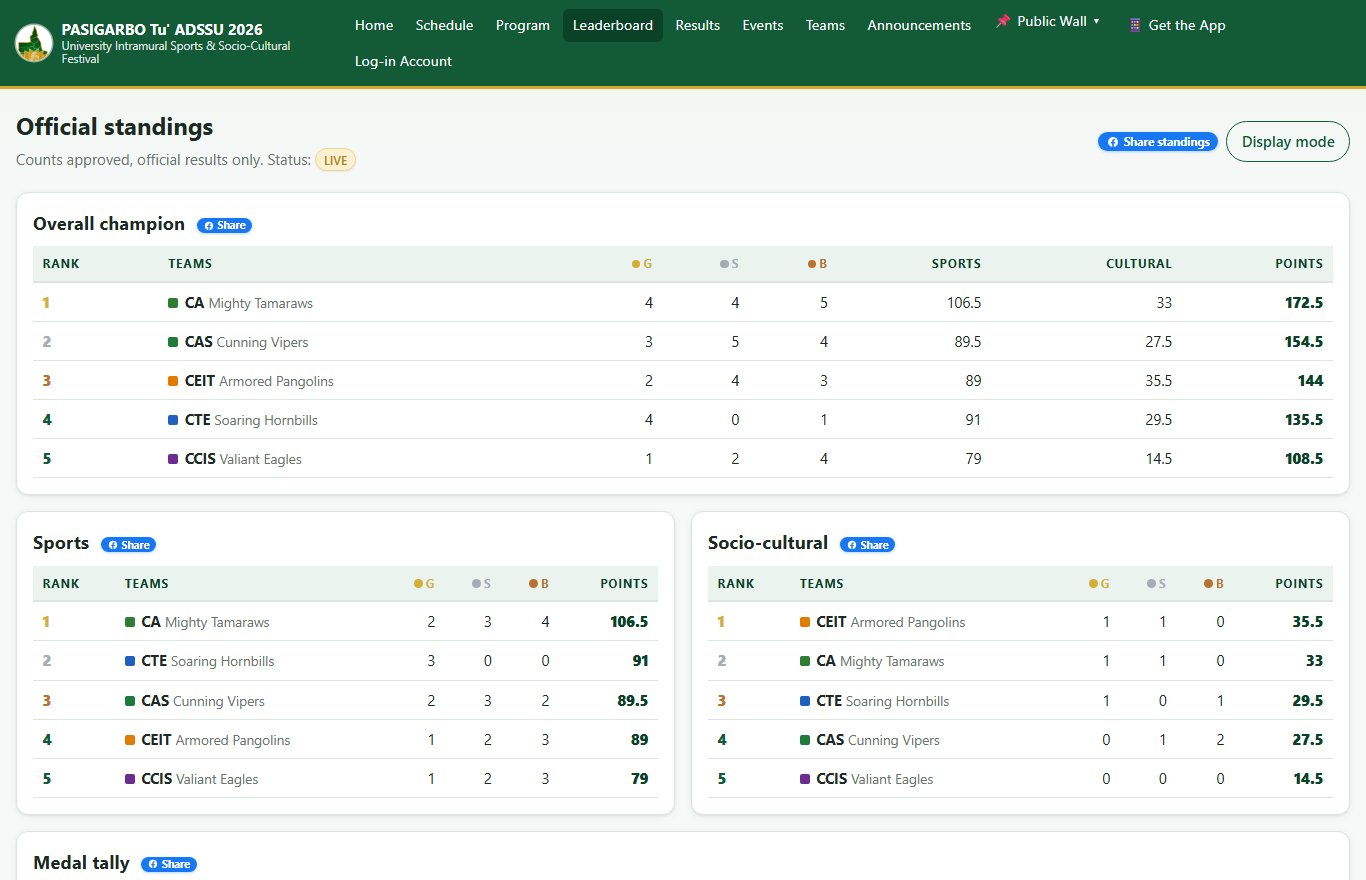
- Home, Schedule, Program (the day-by-day flow and the working group), Leaderboard, Results, Events and Teams.
- Announcements, the Public Wall, "Get the App" and the TV-ready Display Mode.
Students and Student Athletes
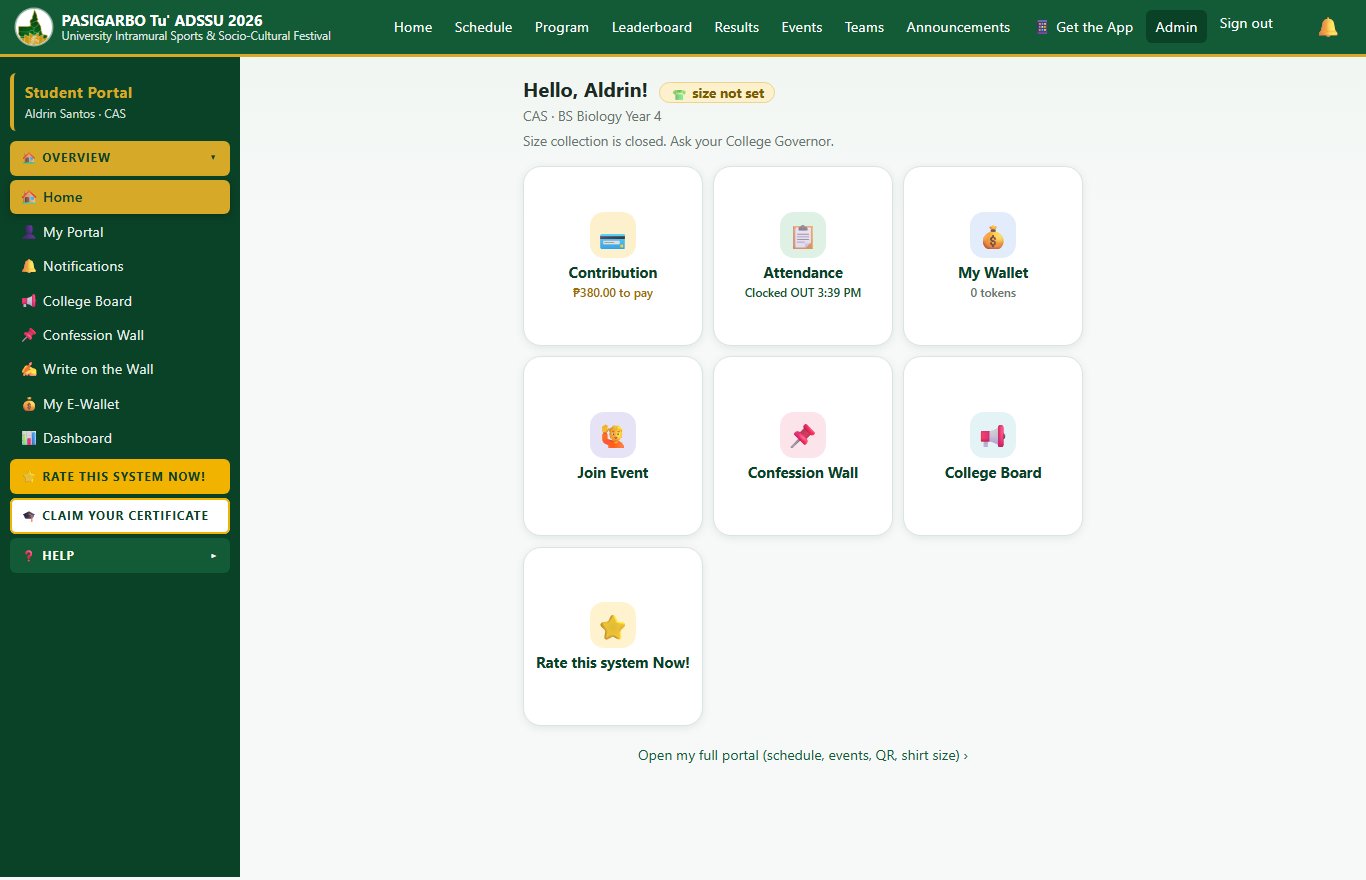
- Home with big tiles: Attendance, Join Event, Confession Wall and College Board.
- Attendance: your personal QR code, clock in and clock out by scanning your college's QR poster, and your attendance history.
- Participant ID: print or download your ID (with your QR) when it is ready.
- Join Event: apply for tryouts.
- Confession Wall: post a confession, greeting or announcement for your college.
- Shirt size, notifications, Messenger, the survey and your certificates.
College Governors
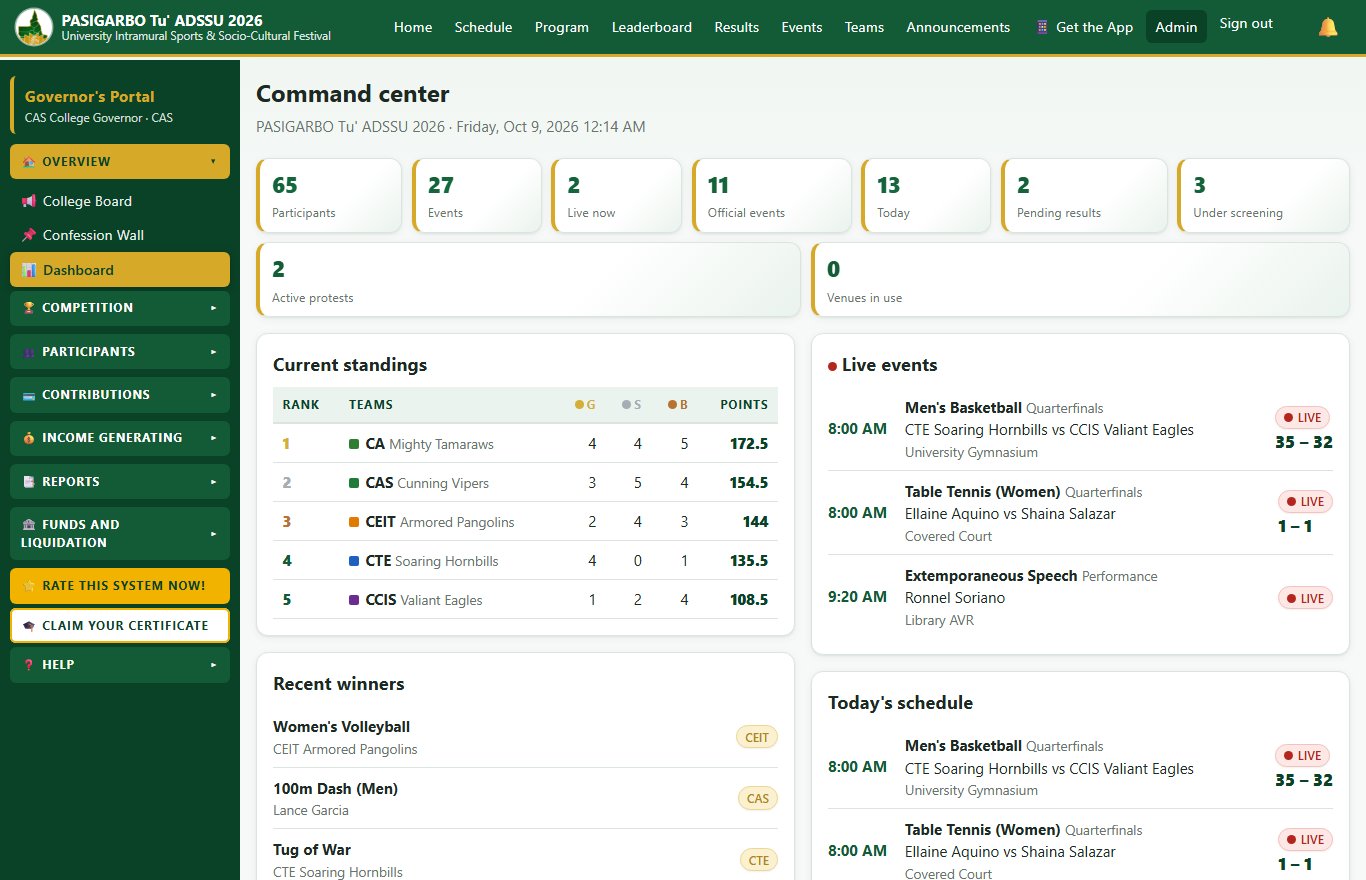
- People: register and manage the college's students (including list import), organization officers, attendance staff and committees.
- Attendance: set the clock-in and clock-out windows and print the college QR posters.
- Announcements on the College Board, T-shirt sizes and event facilitators.
Coaches
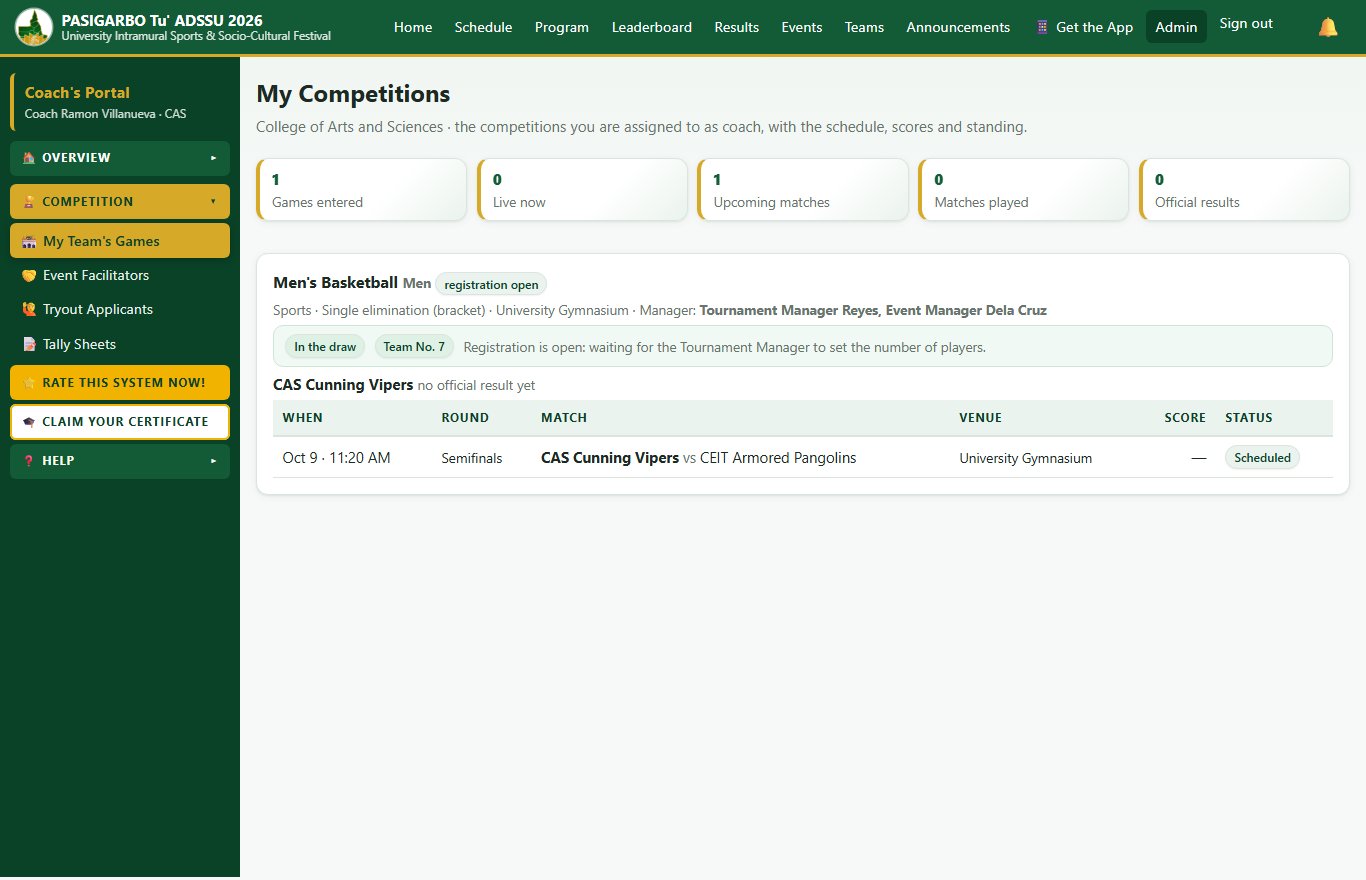
- My Team's Games: your competitions, schedule, live scores and standing.
- Register your players and draw the team number; the Tournament Manager accepts or rejects each player.
- Read and sign tally sheets, appoint Event Facilitators and review tryout applicants.
- In the Messenger, see the event heads, your players and facilitators, and the online students of your college.
Team Managers
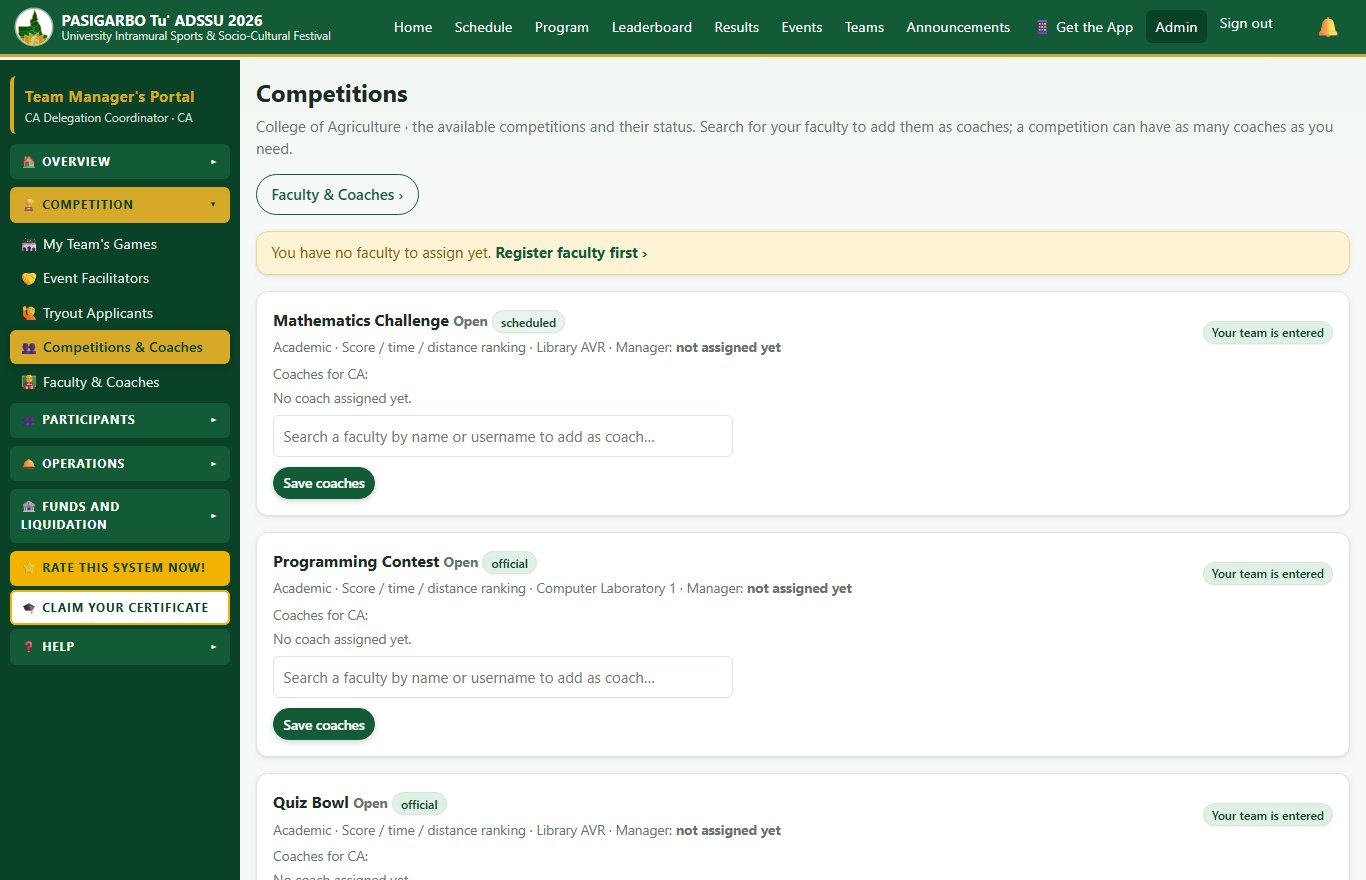
- Assign competitions and coaches to your team and manage your faculty and coaches.
- Follow your team's games, appoint facilitators and review tryout applicants.
- File a protest when needed.
Event Managers and Tournament Managers
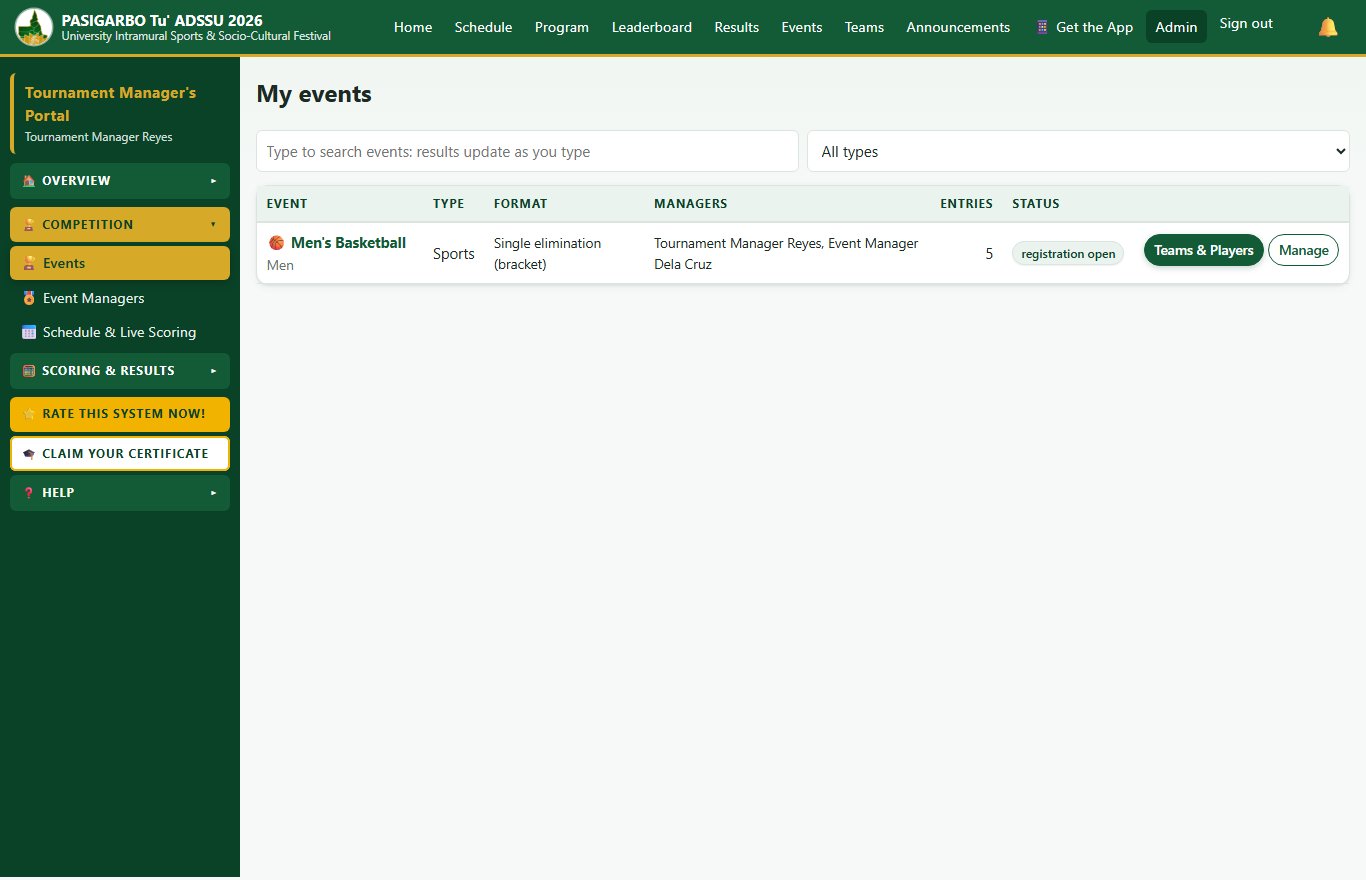
- Set up your events: format, number of players, rules and co-managers.
- Accept or reject teams and players, then run the draw and brackets.
- Manage the schedule and live scoring, and the tabulation of results.
- Work with judges, coaches, facilitators and student facilitators of your events.
Judges
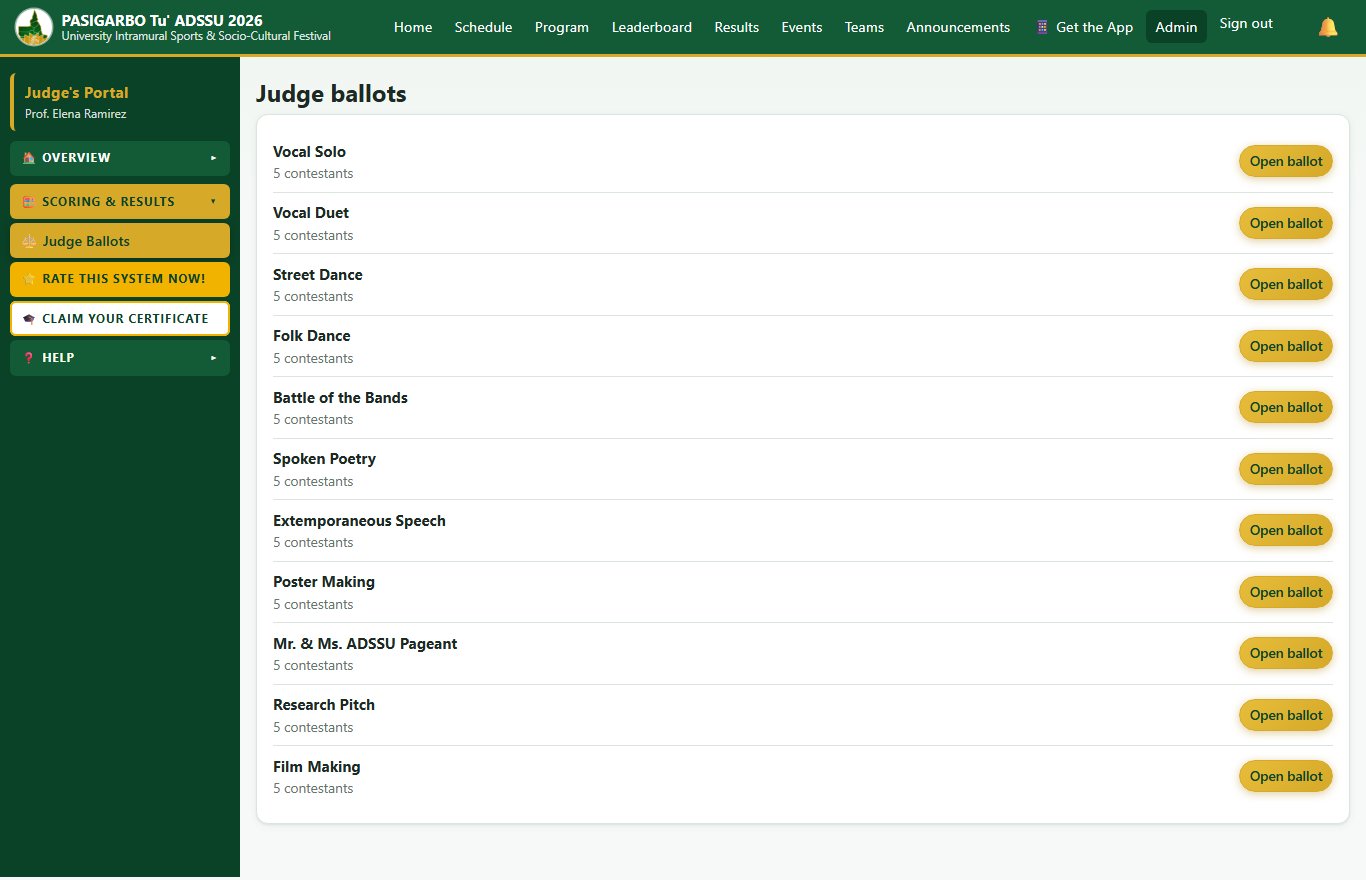
- Open your ballots for the events you judge, with the criteria and their weights.
- Save drafts and submit your scores; blind judging hides the contestants' names.
Referees and Officials
- Enter match scores quickly during the game, correct a score, and lock a match.
Tabulators
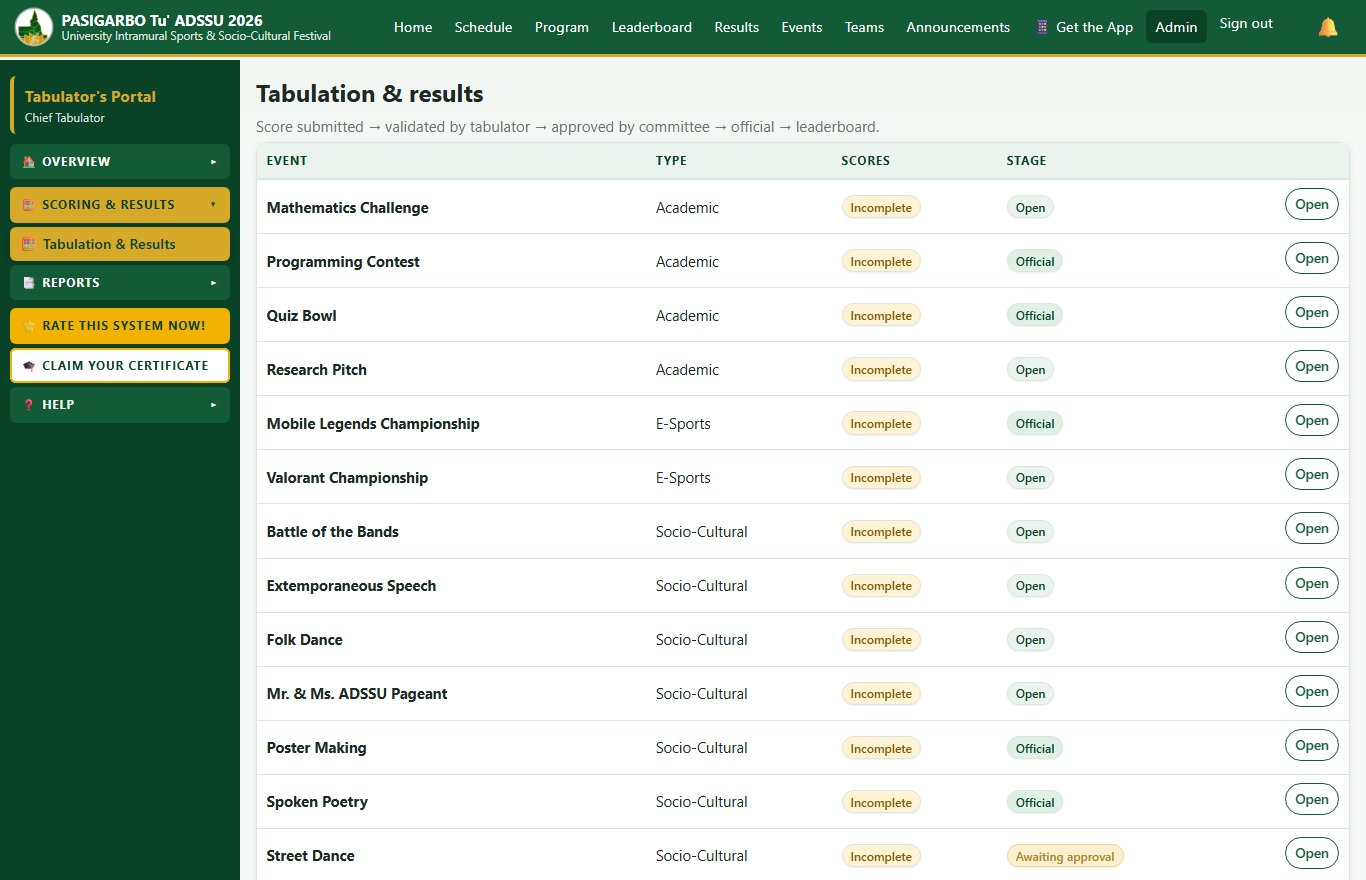
- Check and validate scores, follow each result from submission to approval and release, and print reports and certificates.
Attendance Staff
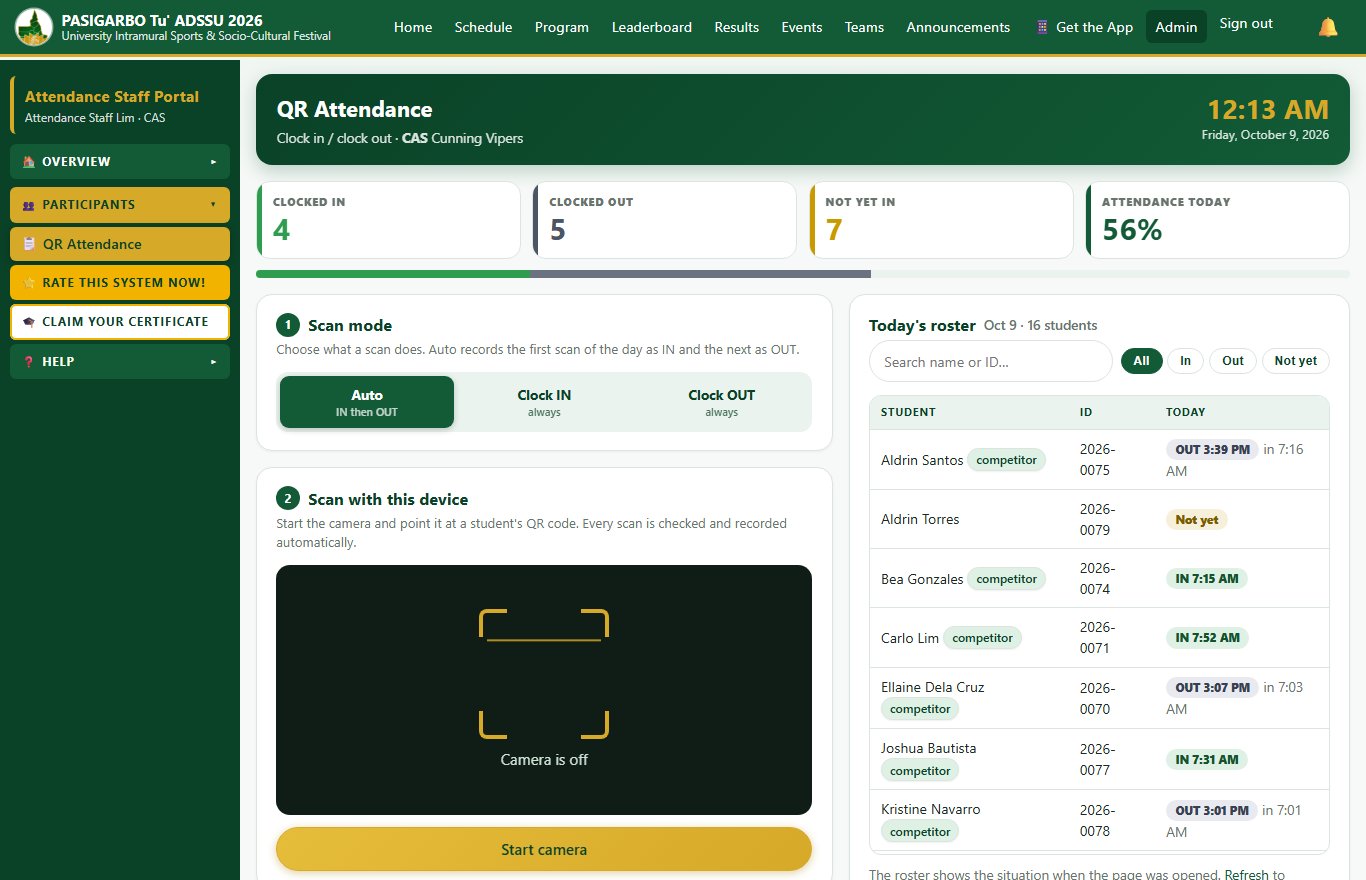
- Scan students' QR codes to clock them in and out, and see today's roster.
Protest Committee, Media and Screening
- Protest Committee: receive protests, follow them through their stages and record the decisions.
- Media / Information Officers: post announcements with pictures, and prepare reports and results for sharing.
- Screening Committee: check the eligibility of participants.
Sports and Socio-Cultural Coordinators and the Intramural Administrator
- Set up events, venues and schedules; run scoring, tabulation and the leaderboard; handle announcements and protests; and produce the reports.
VIP guests, view only
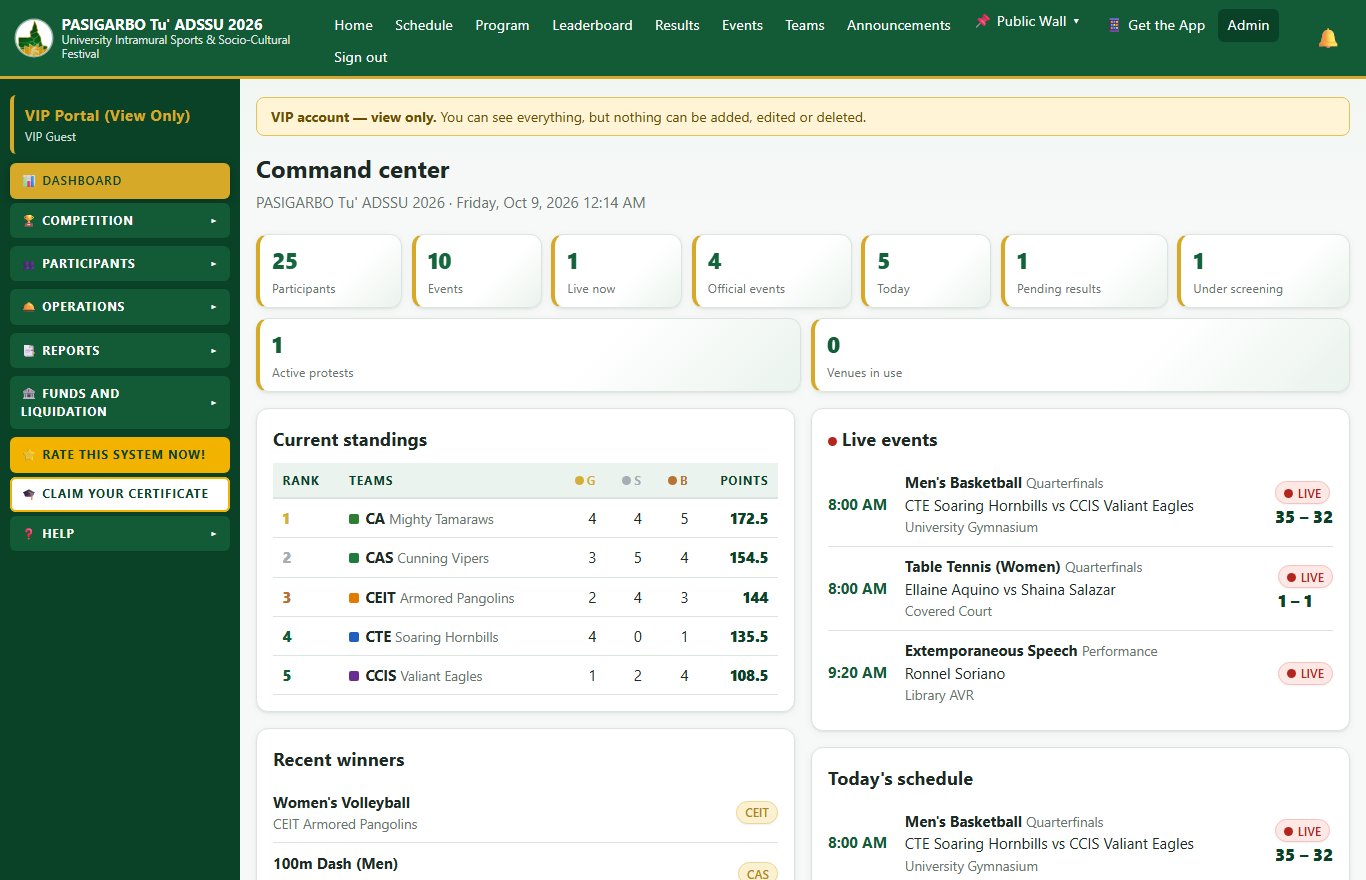
- See the standings, schedules, results, dashboards and reports, without being able to add, edit or delete anything.
- VIP guests can also answer the survey and claim their certificate.
How to get started
- Open the PASIGARBO App at pasigarbo.snditsolution.com on your phone or computer, and choose "Get the App" to install it like an app.
- Log in. Students: your username is your Student ID Number and your password is your last name in small letters, with no spaces (for example, Dela Cruz becomes delacruz). Faculty and staff accounts are created for you by the administrators, your College Governor or your Team Manager, depending on your role.
- Change your password the first time you sign in, to keep your account safe.
- Explore your home page: it shows the tools for your account only.
Rate the system, then claim your certificate
Your feedback will shape the next PASIGARBO. Please tap "Rate this system Now!" in the left menu (it is also a tile on the student home page). It takes about five minutes, uses simple faces from "Strongly agree" to "Strongly disagree", and your name is not shown in the results.
Answering the survey also unlocks "Claim Your Certificate":
- Certificate of Attendance for every day you were present (students).
- Certificate of Participation for students who took part in the festival.
- Certificate of Recognition for faculty and staff, for their tasks.
- Certificate of Recognition for Winners of an event, once the results are official.
Each kind of certificate is released for everybody at the right time. When it is released and you have answered the survey, a Download button appears on your "Claim Your Certificate" page.
Be part of the story
PASIGARBO has always been about people: players, performers, coaches, judges, staff and the cheering crowd. The PASIGARBO App is simply a better way to bring all of us together. Open it, explore it, use it and tell us how to make it even better.
Let us make PASIGARBO Tu' ADSSU 2026 our most connected, most transparent and most memorable festival yet. See you online, ADSSUhanons!
PASIGARBO Tu' ADSSU 2026 Digitalization Program